


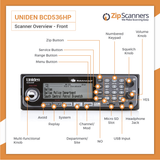
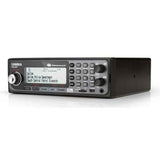


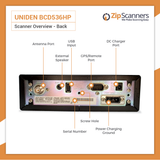
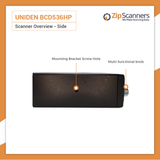
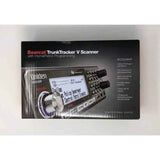
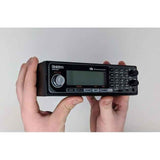
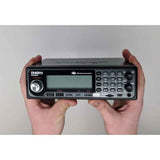
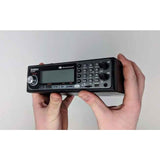
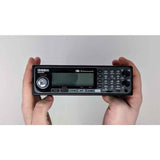
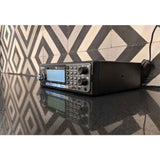
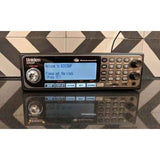
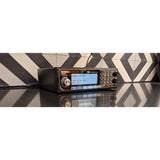
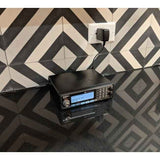
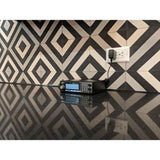
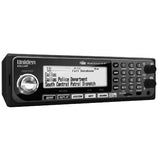

BCD536HP Uniden Police Scanner
Versatile digital base/mobile scanner for home or vehicle use, with Wi-Fi app control & GPS capability.
Upgrade: For better simulcast reception, see the SDS200.
Overview & Features
A serious digital police scanner for your home or vehicle
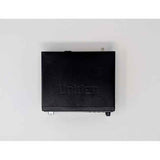
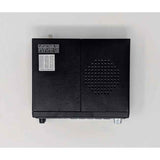
The Uniden BCD536HP digital police scanner gives you P25 Phase I and II reception, a nationwide radio database, recording capabilities and Wi-Fi connectivity in a dedicated base/mobile design.
It's a strong choice if you want a radio on your desk, beside the recliner or installed in your vehicle. No AA batteries to charge. Plug it in, configure it and start listening.
There's one important catch: this model does not have the specialized True I/Q receiver found in the SDS200. If your area has difficult simulcast signals, spending more for the SDS200 is probably the smarter move.
Why choose the BCD536HP?
- Digital and analog reception. Monitor compatible P25 Phase I/II, police, fire, EMS, weather, aviation and railroad radio systems.
- For home or vehicle use. AC and DC power equipment, plus a mounting bracket for compatible vehicle installations.
- Wi-Fi connectivity. The included dongle can work with supported software for listening and control. Setup is required, and app compatibility should be checked before relying on it.
- Nationwide database. Search for nearby systems by ZIP code without typing in hundreds of frequencies.
- Record and replay. Capture transmissions to the microSD card and replay audio when you miss something.
- Close Call RF Capture. Find strong nearby transmitters without already knowing their frequencies.
- Location-based scanning. Connect a separately purchased compatible GPS receiver to adjust the monitored systems while driving.
- Optional format upgrades. Paid keys support compatible DMR, NXDN and ProVoice systems when they are relevant to your area.
Watch the BCD536HP in action
About that Wi-Fi feature
The included Wi-Fi dongle can connect to a compatible local network or operate in supported direct connection modes. But the older Uniden Siren app isn't a modern, effortless anywhere-in-the-world streaming experience.
App compatibility, firmware, network setup and additional software all matter. Advanced owners may prefer ProScan for logging, control and supported remote listening arrangements.
Our recommendation: Buy this model for its radio reception and dedicated installation. Treat Wi-Fi as an extra feature, not the entire reason to purchase it.
BCD536HP or SDS200?
Choose the BCD536HP if you want a capable dedicated base/mobile scanner at a lower price, and your local radio networks don't require specialized simulcast performance.
Choose the SDS200 if your area uses difficult simulcast technology or you want True I/Q, a larger color display and wired Ethernet networking.
For the right local systems, the BCD536HP can be an excellent value. For the wrong radio network, saving money now can get expensive later.
Let our scanner experts check your area for free before choosing.
What's in the Box
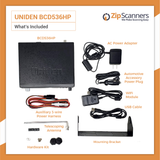
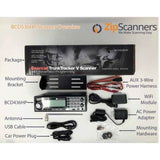
Here's what comes with your Uniden BCD536HP:
- BCD536HP digital base/mobile scanner
- AC power adapter for home use
- DC vehicle power cord
- Vehicle wiring harness
- USB data cable
- Pre-installed microSD card
- Wi-Fi dongle
- Telescoping BNC antenna
- Mounting bracket and hardware
- Printed quick-start documentation
Watch our BCD536HP unboxing video for a look at the actual scanner and accessories.
Building a home listening station?
The included AC adapter powers the scanner from a wall outlet. The telescoping antenna is a fine starting point for local systems, but where you place it makes a real difference.
For distant departments or difficult indoor reception, a suitable external antenna may help. See our ProComm Home Antenna or select a compatible option above. Reception always depends on your location and the frequencies involved.
Installing the BCD536HP in a vehicle?
The bracket and DC power equipment support vehicle installations. Some dashboards may require a separately purchased DIN sleeve or additional mounting hardware.
GPS is supported, but the receiver is sold separately. With a compatible receiver, you can set up location-based scanning to change the nearby systems as you drive.
What about Wi-Fi?
The Wi-Fi dongle is included, but it needs network configuration and compatible software. If remote listening matters to you, read the Wi-Fi resources in our last tab before choosing this model.
Try Sentinel before buying
The BCD536HP uses Uniden Sentinel, free Windows software for managing radio databases, Favorites Lists and scanner updates.
Download BCD536HP Sentinel software for free and see whether you'd rather program it yourself or have our experts do it.
Common Questions
Will the BCD536HP hear my local police and fire departments?
That depends on your local radio systems. The BCD536HP supports P25 Phase I/II and many conventional analog systems, but encrypted channels cannot be decoded. Certain simulcast networks can also be challenging.
Tell us your area and the agencies you want to hear. We'll help decide whether this model is the right fit.
Does the BCD536HP really have Wi-Fi?
Yes. It includes a separate Wi-Fi dongle with supported local wireless connection modes. But remote listening is not plug-and-play.
You'll need compatible firmware, network configuration and working software. Uniden's Siren app is older and has mixed user experiences. More advanced setups are possible with ProScan.
Can I listen to the scanner on my phone?
Potentially, using a compatible Wi-Fi and software setup. The older Siren app can support certain local listening and control functions, but compatibility and usability depend on your devices and setup.
Remote listening over the internet requires additional work and possibly other software. Don't assume it works like a music streaming app straight out of the box.
How is it different from the SDS200?
They're both made for home and vehicle installations, and both support P25 Phase I/II. The key difference is the SDS200's True I/Q receiver, designed for demanding digital simulcast networks.
The BCD536HP does not have True I/Q, and it can struggle with certain simulcast networks. The SDS200 also has a larger color display and Ethernet connectivity, while the BCD536HP uses a Wi-Fi dongle.
If simulcast is a concern where you live, we'd recommend the SDS200.
Why pay for Expert Programming if I can enter a ZIP code?
ZIP code scanning is good for finding nearby systems. But the radio doesn't know whether you're interested in county dispatch, fire, state patrol or the police department two towns over.
Without careful selection, it can monitor services you don't care about and take longer to reach the channels that matter.
Our Expert Programming is different. Tell us where you'll use your scanner and which agencies you want. Our technicians research the available systems and build organized Favorites Lists around those priorities.
For a radio sitting in the same place every day, that's worth doing correctly. Add Expert Programming or select it above.
Can I program it myself?
Absolutely, with a Windows computer, Uniden Sentinel, local radio-system information and patience.
You'll be working with systems, sites, departments, frequencies, talkgroups, Quick Keys and Favorites Lists. If you love technical projects, have at it.
If you just want to plug in the scanner and hear your area, our technicians can do the setup for you. Try free Sentinel software before you decide.
Does P25 Phase II require an upgrade?
No. Standard P25 Phase I and II reception is already included. Certain other digital modes, such as DMR, NXDN and ProVoice, require paid upgrade keys.
Before you buy extras you might not need, check which formats your local agencies actually use. See available Uniden software upgrades.
Can it hear encrypted communications?
No consumer scanner can decode fully encrypted audio. Neither Expert Programming nor software upgrades bypass encryption.
Some departments leave specific channels unencrypted while protecting others. Read our encryption guide for more detail.
Does the BCD536HP need batteries?
No. It's a fixed-power base/mobile scanner designed for AC power at home or DC power in a vehicle.
If you want a scanner to carry around, look at the BCD436HP, SDS100 or SDS150.
Is GPS included?
No built-in GPS. The BCD536HP supports a separately purchased compatible receiver for automatic location-based scanning while traveling.
Can I install it in my vehicle dashboard?
Yes, if you have a suitable mounting location. The package includes basic mounting equipment and DC power options, but some vehicles will require additional installation accessories.
Plan for power, antenna position, ventilation and safe, secure mounting. An optional DIN sleeve may be needed for certain in-dash installations.
Would a better antenna improve reception?
It might. Antenna placement, height, cable quality, terrain and frequency compatibility all influence reception. The BCD536HP uses a BNC connector for compatible base and mobile antennas.
But no antenna can undo encryption or guarantee a fix for simulcast distortion. See our ProComm Home Antenna.
Does it monitor aviation, railroads and NOAA weather?
Yes, where the communications use supported frequencies and modes. Tell our programming team about special interests, including aviation or railroad frequencies, so we can add compatible channels to your Favorites Lists.
Setup, Guides & Resources
Get your BCD536HP programmed for the way you actually listen
This is a permanent listening station for many owners. If it's going to sit beside your computer or live in your vehicle every day, it's worth setting up the agencies and Favorites Lists properly.
Option 1: Have Zip Scanners handle everything
Our recommendation for most buyers. Tell us where the BCD536HP will be used and which agencies matter to you.
Our technicians research compatible local radio systems, select the right departments and organize the available channels into Favorites Lists. We'll also tell you if difficult simulcast makes the SDS200 a better purchase.
Add Expert Programming and skip the time you'd otherwise spend learning the software.
We can help program compatible scanners purchased elsewhere, too.
Programming can't bypass encryption or guarantee reception where suitable signals aren't available.
Option 2: Do it yourself
You'll need a Windows PC, free Uniden Sentinel software, accurate local radio data and time to understand systems, sites, departments, talkgroups and Quick Keys.
It's rewarding if you enjoy learning the details. Download free BCD536HP Sentinel to try the workflow first. If you'd rather just listen, our technicians can take care of it.
Official Uniden BCD536HP resources
Manufacturer manuals, software downloads, firmware changes and Wi-Fi instructions.
Zip Scanners guides & tutorials
We explain scanner programming in normal human English rather than making you study an engineering textbook.
Watch & learn
These two videos play right here on the product page, so you can learn without losing your place.
More BCD536HP videos
Mark's Scanners: An owner reference worth bookmarking
The design looks like something from the dial-up internet era. The instructions are excellent. Mark digs into menus, Quick Keys, settings, programming and the features most people forget exist.
RadioReference: Help from actual owners
RadioReference has years of discussion about digital reception, programming and BCD536HP networking. It's a useful place to start when your radio does something unexpected.
Advanced Wi-Fi and remote listening
Local Wi-Fi connections and listening remotely over the internet aren't the same thing. Before relying on the BCD536HP's network features, confirm your devices, software and network configuration are compatible.
Remote setups may require additional software, network configuration and appropriate security controls.
Owner opinions and reviews
Specs tell you what a radio can do. Other owners can tell you what it's like living with the thing.
Still comparing scanners?
Not sure which police scanner you need?
Tell us what you want to hear. Our experts will help you find the right scanner for your area.


