

TRX-2 Whistler Police Scanner
Top Whistler digital base/mobile scanner with P25, DMR & NXDN included, plus a removable faceplate.
Upgrade: For better simulcast reception, see the SDS200.
Overview & Features
Serious digital scanning. A removable control head. No paid DMR or NXDN upgrades.
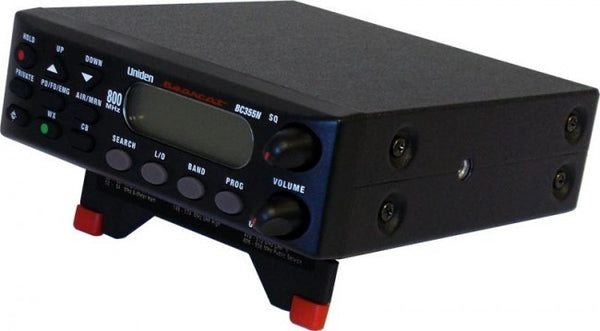
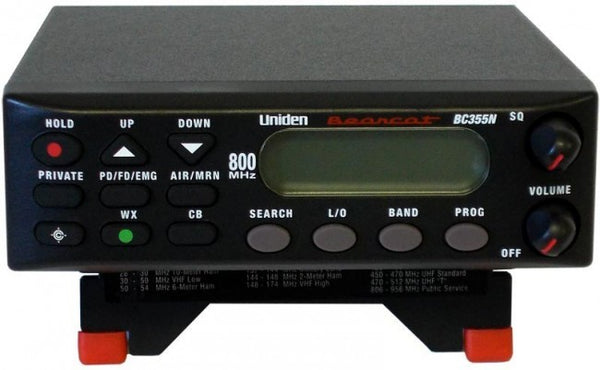
The Whistler TRX-2 digital police scanner is built for people who want a dedicated radio at home, on their desk or installed in a vehicle.
It receives compatible P25 Phase I and II, DMR, NXDN and analog radio systems. Those formats come included, with no separate DMR or NXDN upgrade keys to buy.
And here's what makes this radio different: the front control panel detaches from the radio body. That gives you real flexibility when installing it in a vehicle or a tight space.
Why choose the TRX-2?
- P25, DMR and NXDN included. Receive compatible digital radio formats without separate paid digital upgrade keys.
- Removable control head. Mount the larger radio body out of the way while keeping the buttons and display where you can reach them.
- Home or vehicle operation. AC and DC power equipment plus mounting hardware are included.
- Whistler EZ Scan software. Load agencies, organize Scanlists and manage updates using Windows.
- Spectrum Sweeper. Search for strong nearby transmissions without already knowing their frequency.
- Record and replay audio. Save radio transmissions on the pre-installed microSD card and listen again later.
- Custom alerts. Assign colored LED or audible alerts to departments and radio activity.
- Scanlists and Scan Sets. Build listening groups for different situations, then turn them on or off as needed.
See the TRX-2 in action
Remember removable car stereo faceplates from the 1990s?
Same basic idea, except this time it's useful for more than making your dashboard look empty.
On the TRX-2, the control head can remain attached or be mounted separately with the included connecting cable. You can tuck the main radio body out of the way and keep the display and buttons within easy reach.
In a vehicle with limited dashboard space, that's genuinely handy. At home, leave it together and use it like a normal desktop scanner.
One clarification: That LAN-style cable links the front panel to the scanner. It's not an internet connection.
What about simulcast reception?
The TRX-2 can decode many P25 digital systems, but some complex simulcast networks cause missed or garbled conversations. A strong signal meter doesn't always mean digital audio will be clear.
The Uniden SDS200 uses specialized True I/Q technology designed for difficult simulcast reception. If that describes your local systems, it's our preferred recommendation.
If simulcast isn't an issue, the TRX-2 offers a good combination of digital format support and installation flexibility.
TRX-2 or SDS200?
Choose the TRX-2 for included DMR and NXDN capabilities, EZ Scan software, and its detachable front panel.
Choose the SDS200 when challenging simulcast is a major concern, or if you want a larger color display and Ethernet networking.
Neither model is the right answer for every county. Let our scanner experts check your area for free before ordering.
What's in the Box
Here's what's included with your Whistler TRX-2:
- TRX-2 digital base/mobile police scanner
- Removable front control head
- Telescoping BNC antenna
- AC power adapter
- DC vehicle power cable
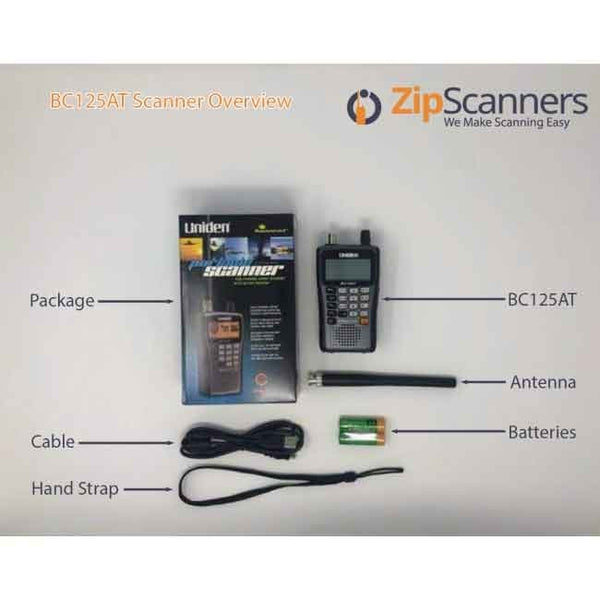
- USB cable for programming and updates
- Pre-installed microSD card with the radio database and EZ Scan software
- Control-head extension cable
- Remote-head mounting bracket and screws
- Main scanner mounting bracket and hardware
- Printed user guide and quick-start instructions
Watch the TRX-2 unboxing video to see the scanner and its accessories.
Putting it in your vehicle?
This is the TRX-2's party trick. The detachable front panel connects to the radio body using the supplied cable, allowing a more flexible installation than a conventional one-piece scanner.
The included brackets give you options for placing the radio body and front controls. In cars with very little dashboard room, that can be a big advantage.
Important: The extension cable looks like a network cable, but it's a control-head connection, not Ethernet access to the internet.
Creating a home listening station?
The TRX-2 comes with AC power equipment, so it can stay plugged in and ready. The supplied antenna is a good place to start with nearby signals.
If you're struggling with indoor reception or trying to hear more distant agencies, a properly selected external antenna may help. See our ProComm Home Antenna or choose a compatible antenna above.
Want clearer audio in a noisy vehicle?
A compatible external speaker may be useful. Shop scanner speakers to see your options.
Try EZ Scan before you buy
Whistler's free Windows EZ Scan software lets you explore Scanlists, radio-system setup, database updates and configuration before you decide whether to program the TRX-2 yourself.
Download Whistler EZ Scan. If you'd rather not do the setup, our technicians can configure the scanner for your area.
Common Questions
Will the Whistler TRX-2 work in my area?
That depends on which agencies you want to hear, which radio networks they use, and whether those networks are encrypted or affected by simulcast distortion.
The TRX-2 supports many analog and digital formats, including P25 Phase I/II, DMR and NXDN. But the longest feature list won't help if your county's signals can't be received properly.
Have our scanner experts check your area for free. Tell us your location and listening priorities.
Are DMR and NXDN included?
Yes. Compatible DMR and NXDN reception is included with no additional paid digital upgrade keys. That's a strong reason to consider Whistler.
Some proprietary or complex network configurations and encrypted radio traffic still won't be fully monitorable. We recommend checking the actual systems in your area, not just looking for the format name.
Why is the front control head removable?
Installation flexibility. You can mount the radio body in one place and the controls in another, using the included extension cable. It's handy when a vehicle dashboard doesn't have room for a full-size scanner.
It also lets you remove the visible controls when parked, although you'll still need to protect the rest of your installation.
Does the LAN cable give it internet connectivity?
No. This trips up a lot of people because the cable resembles an Ethernet cable. On the TRX-2, it connects the detachable front panel to the main radio body.
It's not an Ethernet network port for remote streaming. The SDS200 offers different networking options if those matter to you.
Does the TRX-2 have GPS, Wi-Fi or Bluetooth?
No built-in GPS, Wi-Fi or Bluetooth. You can select nearby systems by ZIP code, city or county, but the scanner does not automatically follow your location as you drive.
If you need automatic GPS-based scanning or network connectivity, ask us about compatible alternatives.
Is the TRX-2 good for simulcast?
Sometimes. Reception varies a lot by radio network and location. Certain simulcast systems can create broken audio, missed conversations or silence even while the signal-strength meter looks healthy.
The TRX-2 does not have the SDS200's specialized True I/Q receiver. We generally recommend the SDS200 for difficult simulcast environments. Read our simulcast explanation.
Why would I pay for Expert Programming if it scans by ZIP code?
Loading nearby radio systems is one thing. Setting up exactly what you want to hear is another.
Imagine you care about the county sheriff, two fire departments and state patrol. Automatic location setup may include other services and departments you have no interest in listening to.
Our technicians research compatible systems and organize the specific agencies you want into Scanlists. Less noise, less digging through menus and more listening.
Get Expert Programming or choose it using the product options above.
Can I program the TRX-2 myself?
Absolutely, if you like technical projects. You'll need Windows, Whistler EZ Scan and accurate local radio information. Digital systems can require some time with sites, talkgroups, Scanlists and Scan Sets.
If you've ever spent four hours assembling something that claimed to take 20 minutes, you know the feeling. Try EZ Scan for free and see whether it's your kind of weekend.
What are Scanlists and Scan Sets?
Think of them as different listening groups. One Scanlist might cover the county police, another the fire department and another railroads.
Scan Sets let you activate combinations of those groups. You might have one setup for ordinary listening and another for stormy weather, for example. They make a lot more sense once you've seen them in EZ Scan.
Can the TRX-2 decode encrypted police channels?
No. Consumer scanners cannot decode fully encrypted radio traffic, and neither programming nor extra equipment will change that. Some agencies encrypt only selected channels; others encrypt most or all communications.
Read our encryption guide for more detail.
Does this model run on batteries?
No. It's a dedicated home/vehicle scanner that runs on AC or DC power. If you want a digital scanner you can carry around, consider the handheld Whistler TRX-1.
Can the TRX-2 record transmissions?
Yes. It can record and replay audio using the included microSD card. Recording capacity depends on the card and your settings.
Would a better antenna improve reception?
It can help, depending on location, frequency and antenna placement. The TRX-2 uses a BNC antenna connector, with many compatible base and mobile antenna choices.
But a stronger antenna won't bypass encryption, and it won't reliably fix simulcast distortion. See our ProComm Home Antenna for a home setup.
Can I hear aviation, railroads and NOAA weather?
Yes, where the frequencies and transmission modes are compatible. The TRX-2 also provides weather features and Spectrum Sweeper for exploring nearby activity.
Tell us what interests you so our programming team can organize those channels into separate Scanlists.
Setup, Guides & Resources
Programming your Whistler TRX-2
The TRX-2 comes with a big radio database and plenty of digital features. What makes it useful is organizing those systems into Scanlists that actually match what you want to monitor.
Option 1: Let Zip Scanners handle it
Our recommendation for most buyers. Tell us your city, county and state, and which police, fire, EMS or other agencies matter to you.
Our technicians research the available systems and build sensible Scanlists around compatible channels. We'll also flag areas where the SDS200 makes more sense because of difficult simulcast reception.
Instead of spending Saturday learning programming software, you can spend it listening. Add Expert Programming or use the purchase options above.
Already own a TRX-2? We can help with programming on compatible radios purchased elsewhere, too.
Programming cannot decode encrypted channels or guarantee reception when suitable signals aren't available.
Option 2: Do it yourself
Whistler EZ Scan is free Windows software that lets you manage radio databases, Scanlists, Scan Sets and scanner settings. You'll need reliable local radio data and some patience to configure everything correctly.
Download Whistler EZ Scan for free. Our four-part tutorial below will help you get started.
Official Whistler TRX-2 resources
Manufacturer software, specifications, installation information and troubleshooting guides.
Zip Scanners guides & tutorials
Everything from the basic terminology to detailed programming advice, without making you read an entire technical encyclopedia.
Watch & learn: Whistler EZ Scan
These two tutorials play right here on the product page without leaving the listing.
Complete four-part programming series
More TRX-2 videos
Mark's Scanners: The detailed guide worth saving
Mark's site looks like it belongs next to an old dial-up modem. But the information is excellent. His guides dig into Scanlists, settings, programming and remote-head details that typical product listings skip.
RadioReference: Technical help from radio enthusiasts
Years of technical discussion about Whistler scanner programming, reception and setup.
Owner opinions and experiences
Specs are a good starting point, but owner discussions tell you what it's like to live with a scanner.
Still comparing scanners?
Not sure which police scanner you need?
Tell us what you want to hear. Our experts will help you find the right scanner for your area.