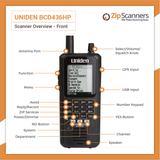
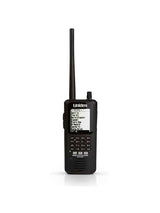


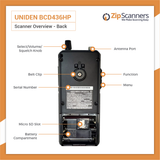
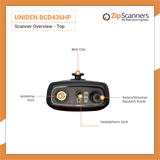
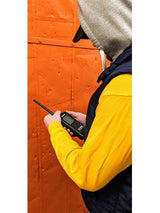
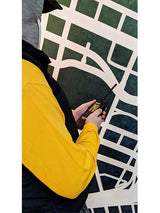
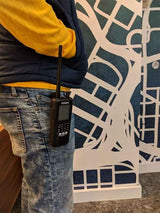
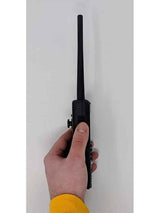
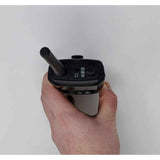
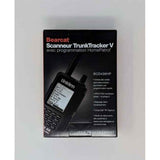
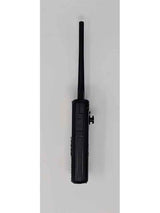
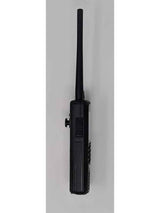
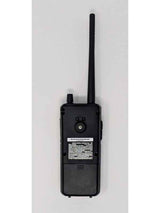
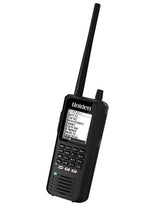
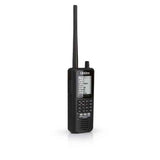
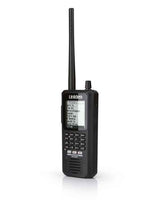
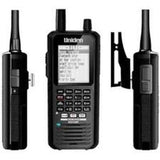




BCD436HP Uniden Police Scanner
Versatile digital handheld scanner with P25 Phase I/II reception, a nationwide frequency database & GPS capability.
Upgrade: For better simulcast reception, see the SDS150.
Overview & Features
Want a capable digital scanner without paying flagship prices?
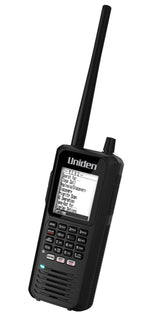
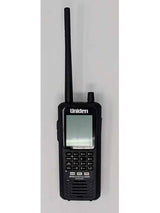
The Uniden BCD436HP digital police scanner delivers serious monitoring capabilities in a portable handheld without the higher price of Uniden's SDS models.
You get P25 Phase I and II reception, a nationwide radio database, recording features and flexible programming. It's a good fit when the agencies in your area use compatible systems and aren't affected by difficult simulcast distortion.
Here's the catch: the BCD436HP doesn't have the True I/Q receiver found in the SDS100 and SDS150. We'll help you figure out whether that matters where you live.
Why choose the BCD436HP?
- Digital and analog reception. Monitor compatible P25 digital networks as well as conventional police, fire, EMS, aviation, railroad, weather and other services.
- ZIP code scanning. Enter your location and let the built-in U.S. and Canadian radio database find nearby systems, rather than typing in hundreds of frequencies.
- Three replaceable AA batteries. Keep a second set handy and swap batteries as needed. No proprietary battery pack required.
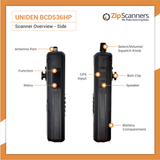
- Backlit screen and keypad. Dedicated buttons for finding and managing systems, departments and channels.
- Record and replay. Save transmissions to the microSD card or replay recent audio.
- Close Call technology. Discover strong nearby transmitters without knowing the frequency.
- Room to grow. Add compatible external GPS or optional DMR, NXDN and ProVoice software upgrades when they are useful in your area.
One thing you really need to know: simulcast
The BCD436HP handles standard P25 digital radio, but complex simulcast systems can cause missing or garbled conversations even when the signal looks strong.
If your local agencies use a difficult simulcast network, we'd recommend the Uniden SDS100 or SDS150. Their True I/Q technology was designed for this problem.
If simulcast isn't a factor where you live, the BCD436HP can save you money without sacrificing the digital features you actually need. Ask our scanner experts to check your area before deciding.
See the BCD436HP in action
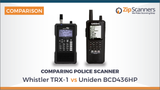
BCD436HP, SDS100 or SDS150?
BCD436HP: A capable lower-priced digital handheld when difficult simulcast reception isn't a concern.
SDS100: Better choice when your local radio systems demand True I/Q simulcast performance.
SDS150: Adds newer conveniences, including built-in GPS, USB-C and a charging cradle.
Don't pay for features you won't use. But don't buy the wrong scanner just to save money, either.
What's in the Box
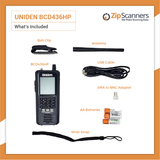
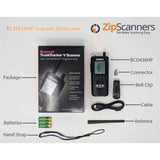
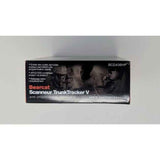
Here's what's included in the Uniden BCD436HP box:
- BCD436HP digital handheld police scanner
- Three rechargeable AA NiMH batteries
- Pre-installed microSD card
- Stock rubber antenna
- SMA-to-BNC antenna adapter
- Mini-USB cable for power and programming
- Swivel belt clip
- Printed documentation
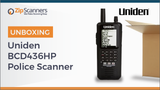
Want to see everything? Watch our BCD436HP unboxing video for a closer look before your scanner arrives.
Keep a second set of batteries ready
The BCD436HP's AA batteries are easy to swap, which is handy because the installed batteries only charge when the scanner is turned off. The radio can run from USB power while on, but won't recharge the batteries at the same time.
We recommend keeping three extra rechargeable AAs in an external charger so you can keep listening without an eight-hour timeout.
Shop rechargeable AA batteries and the 4-bay AA battery charger, or select compatible options above.
Never try to charge disposable alkaline batteries.
Need to plug into a wall outlet?
The box includes a USB cable, but not a separate AC wall adapter. See our AC wall adapter, or add one with the accessories above.
Try the software before you buy
The BCD436HP uses Uniden Sentinel, free Windows software for the frequency database, Favorites Lists and firmware or database updates.
Download Uniden Sentinel for free and get a firsthand look at the programming workflow. If you'd rather not tackle it yourself, our technicians are ready to help.
Common Questions
Will the BCD436HP work where I live?
That depends on the agencies you want to monitor and the radio systems they use. The BCD436HP supports many analog and digital formats, including P25 Phase I and II, but encrypted channels can't be heard and difficult simulcast networks can cause problems.
Have our experts check your area for free. Tell us your location and which police, fire or EMS agencies matter to you, and we'll help choose a compatible scanner.
Is this scanner good for simulcast systems?
This is its biggest limitation. Unlike the SDS100 and SDS150, the BCD436HP has no specialized True I/Q receiver. On difficult simulcast networks, you may miss part of a conversation or hear choppy audio despite a strong signal indicator.
Some owners have good results depending on their location. Others don't. If simulcast is a major issue where you live, we'd strongly recommend the SDS100 or SDS150.
Does it already receive P25 Phase II?
Yes. Standard P25 Phase I and Phase II reception comes with the BCD436HP. No additional software purchase is needed for those formats.
Some agencies use other specialized digital systems that require optional DMR, NXDN or ProVoice upgrades. See the Uniden software upgrades. Before buying one, ask us which formats are actually used nearby.
Why buy programming when it already scans by ZIP code?
Finding nearby radio systems and finding the specific conversations you care about are two different jobs.
The ZIP code database is handy for getting started, but it might also scan local utilities, municipal maintenance, campus security or departments you're not interested in.
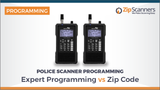
With Expert Programming, you tell us your priorities, whether that's county dispatch, local fire, state patrol, aviation or something else. Our team researches the supported systems and organizes the relevant channels into Favorites Lists.
The difference is a useful scanner ready for your listening habits, not another project to wrestle with. Add Expert Programming or choose it in the options above.
Can I program a BCD436HP myself?
Absolutely, if you like technical projects. You'll need a Windows computer, Uniden Sentinel and some time to understand Favorites Lists, sites, service types and talkgroups. It isn't as simple as entering three frequencies and calling it done.
Download free Sentinel to see what you're getting into. If you prefer to start listening instead of learning all the menus, have us program it.
Will it hear encrypted police radio?
No. Fully encrypted transmissions are off limits to consumer police scanners. That includes the BCD436HP and every SDS model.
Encryption doesn't necessarily affect every department or channel. Read our plain-English encryption guide to understand the limitations.
Can I charge the batteries while listening?
The scanner can run from USB power while switched on, but its rechargeable AA batteries won't charge until you turn the scanner off. Owners who listen for long stretches often keep another set of three AAs charged and ready.
Pick up spare rechargeable batteries and an external AA charger so you can swap them without interrupting your day.
Is there a better antenna for the BCD436HP?
Yes. The BCD436HP uses an SMA connector and compatible replacement antennas can help on some bands. The Remtronix 920S is popular with customers listening to 700/800 MHz systems.
Actual results depend on local frequencies and conditions. No antenna can bypass encryption or guarantee a fix for simulcast distortion. Explore our Remtronix antenna or choose a compatible one above.
Does it have GPS, Wi-Fi or Bluetooth?
GPS location-based scanning works with a separately purchased receiver; GPS isn't built in. See the Uniden Universal GPS.
The BCD436HP doesn't have built-in Wi-Fi or Bluetooth, either. If wireless connectivity or built-in GPS is important, we'll help you compare your options.
Can I listen to aviation, railroads and weather?
Yes. Beyond police and fire, the BCD436HP can monitor compatible conventional analog communications commonly used in aviation, railroad, weather and other services. Our programming team can include supported channels that match your interests.
Setup, Guides & Resources
Get your BCD436HP programmed the right way
The BCD436HP has a huge radio database. That's useful, but it doesn't automatically know which agencies and conversations you're actually interested in. If you're spending hundreds of dollars on a scanner, it's worth getting the setup right.
Option 1: Have Zip Scanners program it for you
Our recommendation for most buyers. Tell us your city, county, state and which police, fire, EMS or other departments you'd like to monitor.
Our technicians research the available systems, select compatible channels and organize the relevant departments into Favorites Lists before shipping.
We can also flag areas where a True I/Q SDS model would be a better fit because of simulcast, so you don't end up with a scanner that struggles on the channels you care about.
Add Expert Programming. We do this every day. You don't have to become a radio engineer to hear the local fire department.
Already own a BCD436HP? We can help with programming separately.
Programming cannot decode encrypted channels, overcome every reception limitation or create coverage where usable signals aren't available.
Option 2: Program it yourself
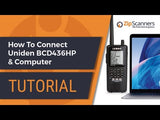
You can use a Windows PC and Uniden's free Sentinel software to build Favorites Lists, adjust settings and manage the radio database.
You'll need reliable local system information and patience with frequencies, sites, departments and talkgroups. The upside is complete control once you've learned the workflow.
Try Uniden Sentinel for free. If the learning curve starts to resemble a mountain, our technicians can take care of it.
Official Uniden resources
Manufacturer manuals, free software, firmware history and technical help.
Zip Scanners guides & tutorials
Helpful instructions without requiring a degree in radio engineering.
Watch & learn
Sometimes it's easier to watch the scanner in action than read another 30 pages of instructions. These two tutorials play right here without leaving the product page.
More videos from our library:
Mark's Scanners: Save these guides
This website looks like it was designed when everyone still had AOL email addresses. But the information is outstanding. Mark breaks down Quick Keys, Favorites Lists, menus and tricky settings into practical detail.
Bookmark the first two. They're among the best references for this model.
RadioReference: Technical help from owners
The RadioReference community has spent years testing these scanners and troubleshooting reception, software and firmware problems.
BCD436HP owner discussions
Find frequencies in your area
Reddit: What actual owners say
Want to hear from people who have used the BCD436HP for years? These owner discussions can help show what it's good at and what it struggles with.
Advanced software & troubleshooting
For owners who want more control, logging, recording or more technical background.
Still comparing scanners?
Not sure which police scanner you need?
Tell us what you want to hear. Our experts will help you find the right scanner for your area.